How to Log In to the PR Portal Step by Step

To complete a PR portal login, you sign in to the ICA Permanent Residence application service using your Singpass account, then confirm your identity through the Singpass app or your chosen two-factor method. According to ICA, all applicants and sponsors must log in with Singpass, and applicants who are ineligible for Singpass can use unique login credentials provided by ICA. This guide walks Work Permit and S Pass holders through each stage, from preparing your account to troubleshooting errors, so that the login itself never delays a future PR or EP upgrade plan.
What You Need Before You Start
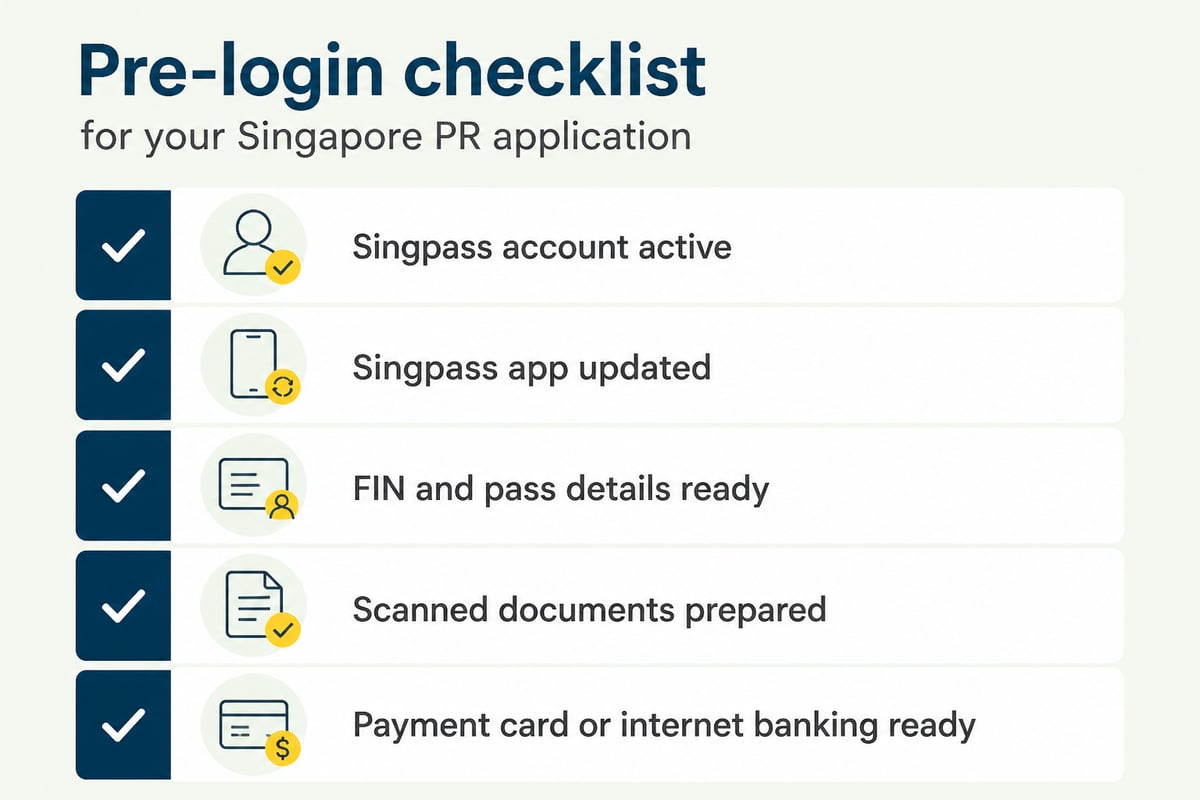
You need four things in place before attempting a PR portal login: an active Singpass account, a device with the Singpass app installed, a stable internet connection, and your personal particulars to hand.
Prepare the following:
- A registered Singpass account. If you hold a Work Permit or S Pass and have never registered, review the eligibility details on the Singpass support page first, as registration requirements depend on your pass type and identity documents.
- The Singpass app, updated. Singpass advises users to keep device software and security patches up to date, so install pending updates before you begin.
- Your FIN and pass details. You will need these when completing the application form after you sign in.
- Supporting documents in digital form. Passport, education certificates, employment records and payslips should be scanned and named clearly before you start.
- A payment method. ICA accepts Visa or Mastercard credit or debit cards, American Express credit cards, and Internet Direct Debit from DBS/POSB, OCBC, UOB or Standard Chartered Bank accounts in Singapore.
Set aside a quiet hour. Rushing a login on a shared or public device is where most avoidable problems begin.
Step 1: Confirm Your Singpass Account Works
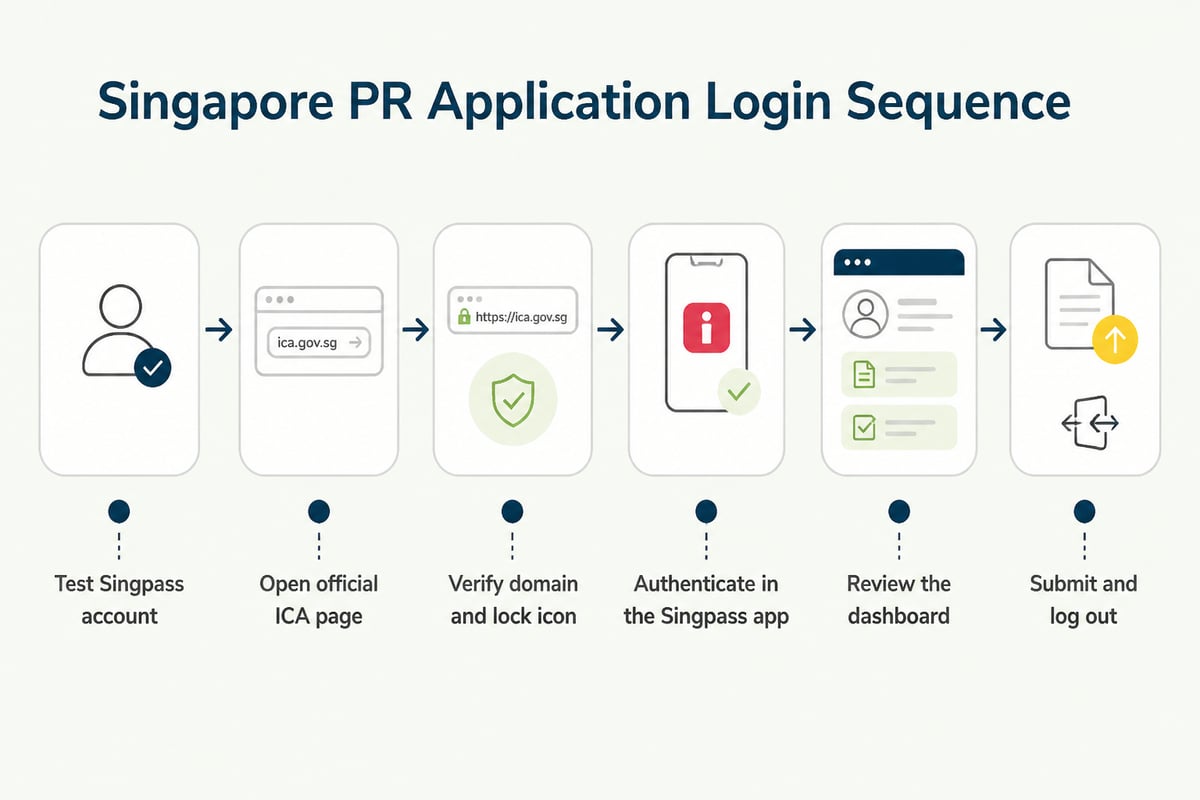
The first step is to test your Singpass credentials on their own, before opening any application service, so you can fix problems in a low-pressure setting.
Open the official Singpass login page and sign in. Keep your login and two-factor details private and never share them with anyone. If you can reach your Singpass dashboard without errors, your account is ready.
If the sign-in fails, resolve it now. Typical causes include a forgotten password, a phone number that has changed, or an app that has not been set up on a new handset. Account recovery can take longer than expected, and you do not want that happening on the day you intend to submit.
Step 2: Open the Official ICA Permanent Residence Page
Reach the PR application service by going through the ICA website directly, rather than through a search result or a link sent by a third party.
Type the address of the ICA site into your browser, then navigate to the Permanent Residence section under Citizenship and Permanent Residence. Bookmark that page once you are there. A bookmark removes the risk of landing on an imitation site later.
This habit matters because phishing attempts commonly target people in the middle of immigration processes. A genuine ICA page will never ask you to send your password or one-time codes by message.
Step 3: Check the Address Bar Before You Sign In
Before entering any detail, confirm that the login domain is correct and that the browser shows a secure connection, as this single check blocks most fraudulent pages.
Singpass advises checking that the login domain is singpass.gov.sg and that the browser shows a lock icon. Apply the same discipline to every government service you use.
A quick verification routine:
- Read the full domain, not just the start of it.
- Look for the lock icon beside the address.
- Ignore pop-ups that ask you to "verify" your account by sharing a code.
- Close the tab and start again if anything looks unusual.
Step 4: Choose Singpass and Authenticate
Select the Singpass sign-in option on the ICA service, then approve the request in the Singpass app using your fingerprint, face recognition or six-digit passcode.
You will normally see either a QR code or a prompt to open the app. Scan the code or tap the notification, check that the service name shown in the app matches what you intended to access, and approve. The browser should then redirect you into the application service.
Applicants who cannot use Singpass should use the unique login credentials supplied by ICA, as noted in the ICA guidance. Enter those exactly as issued, including any case sensitivity.
Step 5: Review the Dashboard and Save Your Progress
Once inside, spend a few minutes reading the dashboard before entering data, because the layout tells you what the service expects and what stage your application has reached.
Look for sections covering personal particulars, family members, employment and education details, document uploads and payment. Do not rush through the sections in sequence. Open each one, note which fields are mandatory, and identify any document you have not yet prepared.
Save drafts regularly where the service permits it. Sessions can time out, and re-entering employment history from memory is an unnecessary risk. For a wider view of how the process fits together, the Kenneth & Co guide to the PR portal explains what happens beyond the login screen.

Step 6: Submit, Pay and Log Out Properly
Complete the declaration, pay the fee and submit only after you have reread every entry, then log out of the service fully rather than simply closing the browser tab.
The PR application fee is S$100 per applicant, payable at submission, and fees are non-refundable, according to ICA. Treat that as a reason to check names, passport numbers and dates of birth twice before paying.
After submission, save the acknowledgement. Singpass also advises users to log out of the digital service after completing a transaction, which protects your account if the device is shared or later lost. ICA generally processes applications within six months when all required documents are submitted, though some take longer. ICA assesses each case holistically, so do not read a longer wait as a signal about the outcome.
PR Portal Login Problems and How to Fix Them
Most login failures trace back to a small group of causes, and each has a direct remedy that you can apply in minutes.
| Problem | Likely cause | What to do |
|---|---|---|
| Singpass app will not approve | Outdated app or poor connection | Update the app, switch network, retry |
| QR code does not scan | Screen glare or expired code | Refresh the page and scan a new code |
| Redirected back to the start | Browser cookies or pop-up blocker | Clear cookies or try a private window |
| Account locked | Repeated failed attempts | Follow the Singpass recovery process |
| Details not accepted | Mismatch with ICA records | Check spelling against your passport |
| Session ends unexpectedly | Inactivity timeout | Log in again and resume from your saved draft |
If an error message persists after two attempts, stop and record the message. Repeated rapid attempts can trigger a lock and make recovery slower. The Kenneth & Co note on PR application login covers further common sign-in questions.
What Happens After You Receive In-Principle Approval
A second login stage follows if ICA grants In-Principle Approval, because you must then complete formalities online, and this stage carries its own deadlines and fees.
ICA explains what applicants must do after receiving approval, including online formalities, payment and possible appointments. The listed fees at completion are S$20 for an Entry Permit, S$50 for a 5-year Re-Entry Permit and S$50 for a Singapore Identity Card.
Plan ahead for this by keeping your Singpass in good standing and your contact details current. Missing an ICA message because of an outdated email address is a preventable setback.
Why the Login Is Only One Part of a PR or EP Plan
Logging in successfully tells you nothing about the strength of your case, because ICA weighs the whole profile and not the mechanics of submission.
For a Work Permit or S Pass holder, the holistic factors include your work history in Singapore, salary, educational qualifications, family ties and how well you have integrated into the community. Many holders strengthen their profile before applying, for example through part-time study or by upgrading to an S Pass or EP. Useful background reading includes this overview of the difference between a Work Permit, EP and S Pass, the three steps for a Work Permit holder moving towards PR, and a discussion of whether salary matters in a PR application.
A practical point worth building into your routine: keep a single secure folder that mirrors the portal's sections. Name files by category, such as "Employment letters 2022 to 2026" or "Education certificates", and keep a short log of the dates and employers on your CV. When the form asks for a date range, you read it from the log instead of reconstructing it, which reduces the inconsistencies that cause queries.
For applicants who want a specialist to review a profile before filing, Singapore PR & Citizenship Application support from Kenneth & Co covers case review, document preparation and application strategy. Applications are reviewed case by case before any filing, and the final decision rests with ICA.
Security Habits to Keep After Every Login
Protecting your Singpass account matters as much as getting into it, since your account holds access to several government services beyond the PR application.
- Never share your passcode, one-time codes or screen with anyone, including people who say they represent an agency.
- Use only your personal device for authentication where possible.
- Log out after each transaction and clear shared-device histories.
- Keep your phone's operating system and the Singpass app current.
- Review any unexpected approval request in the app and decline it if you did not initiate it.
Frequently Asked Questions
Can I start the application on one device and finish on another?
Often yes, provided you sign in with the same Singpass account and the service has saved your draft. Confirm that saved data appears before you rely on it, and avoid switching to a public computer.
What if I am not eligible for Singpass?
ICA states that applicants ineligible for Singpass can use unique login credentials provided by ICA. Follow ICA's instructions for obtaining and using them.
Does a successful login mean my details are verified?
No. It confirms only that you have accessed the service. ICA reviews the content of your application and assesses it holistically.
How long should I keep my records after submitting?
Keep the acknowledgement, a copy of every uploaded document and your payment confirmation for as long as your pass and any subsequent application remain active.
Your next step is simple: sign in to Singpass today, confirm that your app approves requests without errors, and gather your employment, salary and education records into one folder. If you would like an honest view of whether your profile is ready before you file, the team at Kenneth & Co Pte Ltd can help you plan an upgrade path from a Work Permit or S Pass towards an EP or PR, so you can book a consultation and talk through your options with an experienced bilingual English and Chinese advisory team. With over 10 years of experience and more than 5,000 applicants helped, the firm reviews each case individually, while MOM and ICA make the final decisions.


